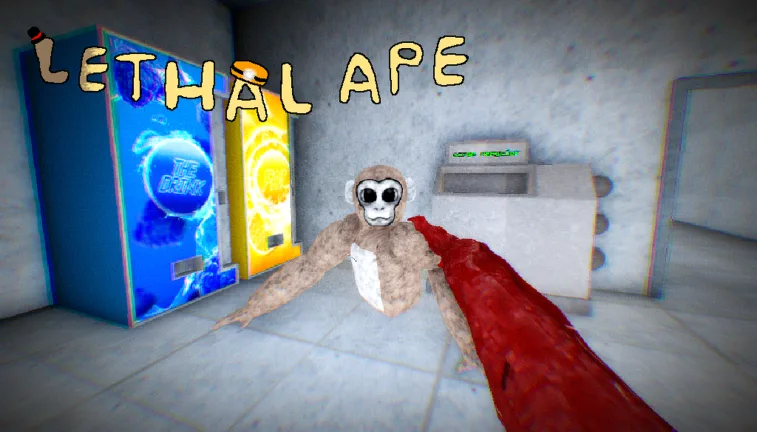
How to Join the Lethal Ape Experience Discord and Master BTM Mode
Learn how to access the Lethal Ape Experience community, get the latest game updates, and master the new Be the Monster (BTM) game mode on Roblox.
Published: Lethal Ape Wiki Editorial Team
Table of Contents
Accessing the Lethal Ape Experience Community
Connecting with the developer and the player base is essential for staying informed about frequent updates in Lethal Ape. To join the official community, players should navigate to the official Lethal Ape Roblox page. You will typically find the link to the Discord server within the game's description or the creator's profile page.
Being part of the community allows you to receive direct notifications regarding patch notes, bug fixes, and new features like the recently introduced BTM (Be the Monster) game mode. According to player reports, developers often synchronize updates across related titles, so keeping an eye on official channels is the best way to avoid missing out on limited-time content or balancing changes.
Mastering the Be the Monster (BTM) Mode
The BTM mode fundamentally changes the gameplay loop of Lethal Ape Experience. Instead of purely running from AI entities, players are randomly assigned as the monster, tasked with hunting down survivors.
Key Monster Stats
When purchasing or equipping monsters, pay close attention to three core attributes that dictate how you perform in the match:
Speed: Determines your base movement velocity. Higher speed is crucial for closing gaps in open areas.
Turning Difficulty: Represents how much the character slides during sharp turns. A lower percentage is generally superior, as it allows for tighter control during chases.
Vision: Affects the screen blur. Monsters with poor vision have a harder time spotting survivors hiding in corners or dark areas of the map.
Tip
Gooba is often cited by the community as a top-tier monster choice due to its excellent turning statistics, making it highly effective for navigating complex map layouts.
Survival Strategies for Apes
Surviving for the full duration of a round requires more than just running; it requires tactical positioning. Community discussions highlight that the map layout significantly influences your survival odds.
Avoid High-Traffic Zones: Steering clear of the second floor is a common recommendation, as these areas are often death traps where monsters can corner you easily.
Identify Hiding Spots: Areas like the parking garage or small, enclosed rooms can provide brief respite. Ensure the door is closed behind you to stay out of the monster's line of sight.
Master the "One-Two" Dash: If you are spotted, use sharp, erratic movements to break the monster's tracking.
Listen for Cues: Audio is a vital tool. If you hear a monster approaching, prioritize repositioning before they have a clear line of sight through windows or doorways.
Common Mistakes and How to Avoid Them
Even experienced players can fall victim to simple errors. One common mistake is staying in one spot for too long once the monster has entered your immediate vicinity. While hiding is effective, you must remain mobile if you suspect the monster is actively searching your room.
Another frequent oversight is ignoring the "Last Man Standing" (LMS) mechanics. Being the last survivor grants additional coins, which are essential for purchasing better monsters. If you find yourself in the final stages of a round, prioritize survival over looting or exploring, as the monster’s focus will be entirely on you.
FAQ: Frequently Asked Questions
How do I earn more coins in Lethal Ape Experience?
You earn coins by winning rounds as a survivor, surviving until the end as the Last Man Standing, or successfully tagging players while playing as a monster.
Is the "Be the Monster" mode always available?
Yes, BTM is a core game mode in the current version of the experience. Check the game's menu or lobby settings to join a BTM-specific match.
Why can't I find the Discord link?
If the link is not visible in the game description, check the developer's group page or the official Roblox game page's "Social Links" section. Always verify that you are clicking links from the official creator, gub_dev.