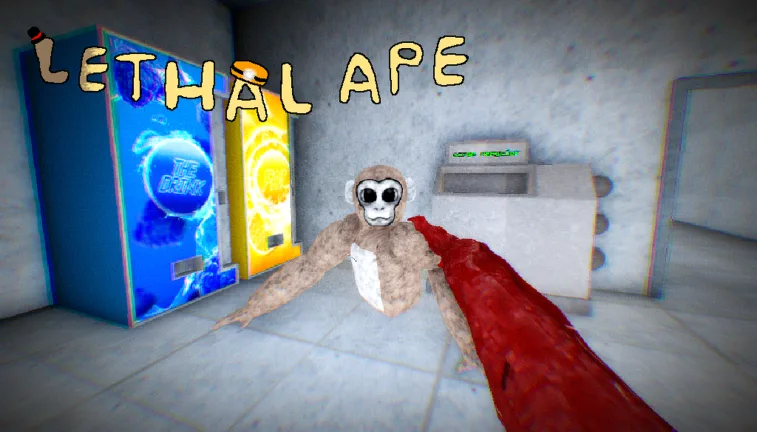
How to Become All Monsters in Lethal Ape (Roblox Guide)
Learn how to access the Monster Room in Lethal Ape on Roblox to view, test, and experience all 57+ unique monsters and their jumpscares.
Published: Lethal Ape Wiki Editorial Team
Table of Contents
Exploring the Monster Room in Lethal Ape
If you are a fan of Lethal Ape on Roblox, you have likely encountered various terrifying creatures during your gameplay sessions. Many players are curious about how to "become" or get a closer look at these entities to see their designs, animations, and jumpscares without the pressure of a survival round.
The game provides a dedicated space for this purpose: the Monster Room. This area acts as a gallery or testing ground where you can interact with the game's expansive roster of monsters. Understanding how to navigate this room is the key to experiencing all the content the developers have packed into the game.
How to Access and View Monsters
The most effective way to see all the creatures in Lethal Ape is by locating the Monster Room. This feature is intended for players who want to study the models, appreciate the design work, or simply experience the jumpscares in a safe environment.
Launch the Game: Open the official Lethal Ape experience on Roblox.
Locate the Monster Room: Once you spawn in the main hub or lobby area, look for teleporters or UI buttons labeled "Monster Room" or "Monsters."
Browse the Gallery: Inside the room, you will typically find displays or a menu system that lists the available monsters.
Select and View: Click on the monster you wish to view. In many iterations of this room, selecting a monster will trigger its animation or jumpscare, allowing you to see it up close.
Understanding the Monster Roster
According to community documentation and the Roblox Lethal Ape Wiki, the game features a vast collection of entities. As of recent updates, there are over 57 monsters currently in the game. These range from common threats to rare entities that only appeared during specific events.
The roster is quite diverse, including creatures like:
Classic Monsters: Such as Sandman, Scar, and Goo.
Glitch/Unique Entities: Including GLI.TCH. and various numbered anomalies.
Event-Specific Creatures: Monsters that were introduced during holiday events or special updates (e.g., April Fools 2025 or Halloween events).
Because the game is frequently updated, the list of monsters in the room is constantly evolving. If you see a monster in a video or on a wiki page that you don't recognize, it is often because that entity was part of a limited-time event or a retired game mode, such as Backrooms 2.
Why Players Use the Monster Room
Many players search for "how to become all monsters" because they want to create content or simply satisfy their curiosity. Watching a jumpscare while actively playing the game is often too chaotic to appreciate the details.
Studying Jumpscares
The animations for these monsters are a core part of the Lethal Ape experience. By visiting the Monster Room, you can trigger these animations repeatedly. This is a favorite activity for content creators who want to compile "all jumpscares" videos.
Identifying Threats
Knowing what a monster looks like up close can actually improve your survival rate in the main game. If you know exactly what a "Color Lurker" or "Big Guy" looks like, you are less likely to panic when you encounter them in the dark, and more likely to recognize their movement patterns.
Testing and Experimentation
Some players use these rooms to test how monsters interact with the environment or to see if there are any "hidden" features or easter eggs associated with specific character models. Since the developers, such as gub_dev, often include subtle details in the models, the Monster Room is the best place to find them.
Tip
Check the Wiki First: Before heading into the game, browse the Roblox Lethal Ape Wiki to see the full list of monsters. This helps you identify which ones you have already seen and which ones you are still missing from your "collection."
Gameplay Expectations vs. Reality
It is important to manage expectations regarding "becoming" these monsters. In most standard gameplay modes of Lethal Ape, you play as a survivor attempting to complete objectives or escape.
While the Monster Room allows you to view these entities in high detail, it does not necessarily grant you the ability to play as them in a standard survival match. If you see videos claiming you can "play as every monster," they are usually referring to:
The Monster Room Showcase: Using the official in-game gallery to view the models.
Private Servers/Admin Commands: In some instances, private servers may allow for different permissions, though this depends entirely on the game's current updates and settings.
Special Game Modes: Occasionally, the developers release modes that allow players to take control of monsters, but these are usually time-limited.
If you are looking to play as a monster, always check the game's main menu for "Special Modes" or "Event Modes," as these are the only official ways to experience gameplay from the perspective of the creatures.
Frequently Asked Questions
Can I play as any monster I want in the main game?
Generally, no. Most gameplay modes require you to play as a survivor. The ability to "become" or control monsters is usually restricted to specific event modes or developer-authorized features in private servers.
Why can't I find a specific monster in the Monster Room?
Some monsters are event-exclusive or have been removed from the game. If a monster appeared in an old event (like the Easter event or April Fools 2025), it might not be accessible in the current version of the Monster Room.
Are there cheats to unlock all monsters?
No. We strongly advise against using third-party software or "cheats" to unlock features. Stick to the official Lethal Ape game to ensure your account remains safe and to support the developer.
How many monsters are currently in Lethal Ape?
According to community resources, there are over 57 monsters. This number changes as the developer updates the game with new content and seasonal events.