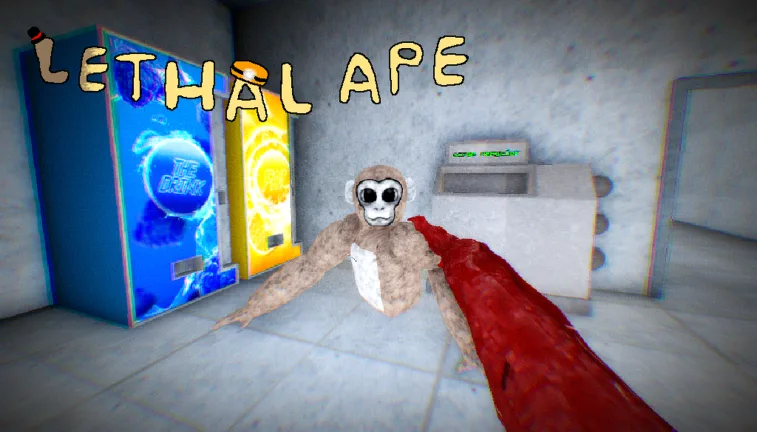
How to Change Color in Lethal Ape: Customizing Your Skin
Learn how to change your skin color in Lethal Ape on Roblox. Follow this guide to customize your character appearance easily in the laboratory.
Published: Lethal Ape Wiki Editorial Team
Table of Contents
How to Change Your Skin Color in Lethal Ape
Tip
When changing your appearance, remember that your active skin color will also carry over to your deceased body when you are eliminated in the laboratory, according to recent community updates.
Customizing your character is a fun way to stand out while navigating the creepy environments of this Roblox survival experience. If you are wondering how to change your color in Lethal Ape, the process is straightforward once you know where to look. While exploring the laboratory maps, players often want to personalize their monkey avatar with unique shades—ranging from bright orange to darker tones.
Based on community reports and gameplay footage, customization options are built directly into the game's menu interface. You do not need complex gamepasses or hidden glitches to alter your hue. Simply open your character or skin customization menu before or during a session, browse the available color palette, and select your preferred shade.
Open the main menu or customization settings interface before spawning into a match.
Locate the skin color selection tab provided by developer gub_dev.
Choose your desired color from the available palette options.
Confirm your selection to apply the new look to your monkey character.
Getting your favorite color equipped only takes a few seconds. Whether you want to blend into the shadows or pick a bright, noticeable color to coordinate with friends, the menu gives you immediate feedback on how your avatar looks. Make sure to double-check your settings before jumping into active rounds against the monsters.
Understanding Player Models and Appearance Updates
As the game has evolved under developer gub_dev, player models have gone through several iterations. From older legacy types like C-23 and A-41 to the current VR-inspired Type E-26 models, character rendering has steadily improved.
Player feedback highlights that visual consistency matters in survival horror games. Previously, a player's defeated body would always revert to a default brown tone upon elimination. However, recent revisions ensure that your custom skin color is properly maintained even on your character's fallen body, adding a nice layer of personal immersion to your survival runs.
Frequently Asked Questions
Can I change my color while hiding from monsters?
It is generally recommended to adjust your skin color and settings while safe in the lobby or menu area, rather than trying to modify options while actively escaping hostile entities.
Does changing my color affect my hitbox or gameplay stats?
No. Customizing your skin color is purely cosmetic. Your hitbox and movement mechanics depend entirely on your current player model type (such as Type E-26) rather than the color of your fur.
Where can I play Lethal Ape?
You can access the official experience directly on the Lethal Ape Roblox Page created by gub_dev.