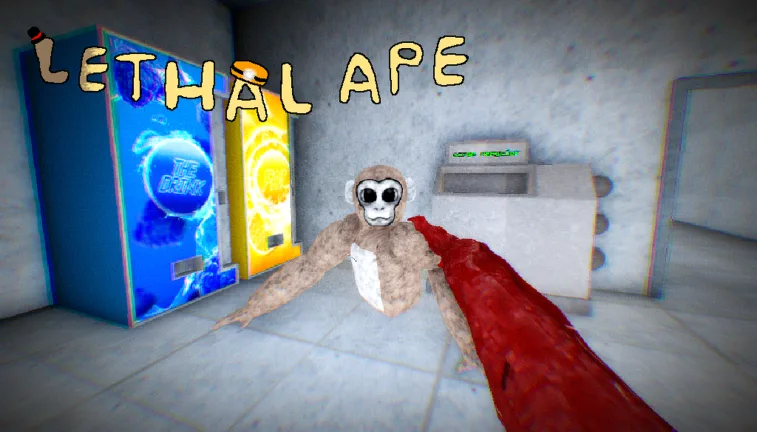
Understanding the Lethal Ape Gus Sound: Origins and Usage
Discover the origins of the iconic Gus sound from the Roblox game Lethal Ape and learn how to use these meme sound effects in your own projects.
Published: Lethal Ape Wiki Editorial Team
Table of Contents
Exploring the Lethal Ape Gus Sound Phenomenon
In the vibrant ecosystem of Roblox horror games, specific sound effects often transcend the game itself to become community memes. The "Gus" sound from Lethal Ape is a prime example of how community-driven content can turn a simple audio clip into a recognizable internet trope. Whether you are a fan of the game or a creator looking to incorporate these sounds into your own content, understanding their context is essential.
Lethal Ape, developed by gub_dev, has gained traction for its intense atmosphere and unique creature design. Within the game, the audio cues associated with "Gus"—the titular antagonist—are critical for gameplay, signaling danger and building tension. Over time, these raw audio files, including the creature's distinct groans and screams, have been extracted and repurposed by the community for humor and soundboard applications.
What Makes the Gus Sound So Popular?
The popularity of the Lethal Ape Gus sound lies in its raw, unfiltered nature. Unlike polished studio sound effects, these clips capture the chaotic energy of a Roblox horror experience. Players often find the contrast between the high-stakes horror gameplay and the specific, sometimes comedic, vocalizations of the ape to be highly meme-worthy.
According to community reports on platforms like Voicemod Tuna, the audio is frequently categorized under "SFX" or "Memes." This categorization highlights that the value of the sound is not just in its utility for the game, but in its ability to elicit a reaction from an audience during live streams or voice chats.
Why Players Use These Clips
Atmospheric Immersion: Fans use these sounds to recreate the tense environment of the game outside of Roblox.
Meme Culture: The sounds are often paired with other trending audio clips to create short-form viral videos.
Soundboard Utility: Using tools like Voicemod, players can trigger these sounds in real-time during Discord calls or other gaming sessions to surprise friends.
How to Access and Use Lethal Ape Sound Effects
If you are looking to integrate these sounds into your own content, it is important to source them from reputable community-driven platforms. Many users share these clips through soundboard repositories where they are tagged for easy searching.
Identify the Source: Always verify that the sound is indeed from the official Lethal Ape Roblox game.
Search Repositories: Use platforms like Voicemod Tuna to find community-uploaded clips. Search for keywords like "Gus" or "Lethal Ape."
Preview Before Use: Listen to the clip to ensure it is the specific version (e.g., a "stomp" sound vs. a "scream" sound) you are looking for.
Integration: Download the file in a compatible format (usually .mp3 or .wav) to import into your preferred audio software or soundboard application.
Common Variations of the Sound
The community has been quite creative in isolating different audio elements from the game. While the basic "Gus sound" is the most popular, there are several variations that cater to different needs.
Gus Screams
These clips are high-intensity and usually feature the creature's most aggressive vocalizations, perfect for jump-scare edits.
Gus Stomps
Often used for comedic effect, these rhythmic sound effects emphasize the weight and movement of the character within the game.
Death Sounds
These are specific audio cues that trigger when a player is defeated, often used by creators to highlight a "fail" moment in their own videos.
Important Considerations for Creators
When using game audio, it is vital to respect the developer's work. While these sounds are often shared by the community as memes, always check the game's official guidelines or the platform's terms of service regarding the use of game assets.
Tip
Always credit the source when using these sounds in your videos. Linking back to the official Lethal Ape Roblox page helps the developer and provides context for your audience.
If you are using these sounds for a public project, ensure that you are not infringing on any copyright policies set by the creator, gub_dev. Most community platforms have their own IP guidelines, and it is recommended to stay within the boundaries of "fair use" for transformative content like memes.
FAQ: Frequently Asked Questions
Can I use these sounds in my own Roblox game?
You should always seek permission from the original creator, gub_dev, before using assets from Lethal Ape in your own projects to avoid potential copyright strikes on the Roblox platform.
Where can I find the highest quality versions of these sounds?
Most high-quality community-shared sounds are found on audio-sharing platforms or soundboard websites. Look for files with high play counts and positive user ratings to ensure audio clarity.
Is the Gus sound exclusive to Lethal Ape?
Yes, the specific "Gus" audio is unique to the creature design in Lethal Ape. Any sounds you find elsewhere with that name are almost certainly derived from this specific Roblox experience.